

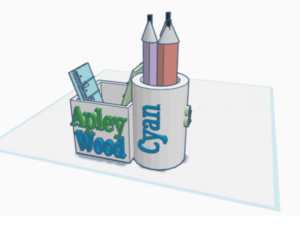
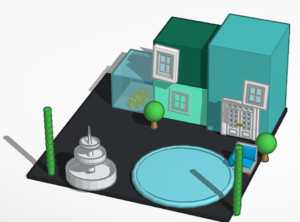
Images from Cyan, Jacob & Muriel (Apley Wood Primary Academy)
Today, we’ll be featuring C.A.D. (Computer Aided Design)
- what it is
- its benefits, and
- how it can be used in education.
CAD refers to the use of computers in creating, designing and modifying, within a three-dimensional digital space. This means that students can create a digital prototype of a physical object on their computer, without having to build anything for real and, unlike with paper drawings, they can rotate the model in 360 degrees.
The opportunities for using this for real-world goods and products is clear,i but CAD can also be used in other ways. CAD is very helpful for the spacial planning of a workplace or area,ii whilst enabling a plan or design to be far more accessible for a team to understand a concept, thanks to CAD’s 3D visuals.iii
Not only does CAD have great practical applications for work, it also offers a great chance for students to unlock their creativity through technology.
Year 6 students at the innovative Apley Wood Primary Academy used CAD to create their own desk tidies, and buildings.
The program used was Tinkercad; a free and easy-to-use online platform for creating 3D models.
Richard Smith, founder of AmazingICT said. ‘I am delighted that schools in the UK are starting to use a free, online platform to develop their creative skills. Often students will start a project at home and then continue it at home. CAD is an integral part of the mandatory Computing curriculum for KS1-KS3 students in UK schools’.
The lesson not only gave the students a great opportunity to learn techniques that are proving to be invaluable in the modern world, but also aided them in exploring their own creativity in the digital realm. In addition, with AmazingICT’s 3D printer, the students could put their own pencils and rulers in the very tidies they designed themselves.
To find out about how we can support your school email amazingict@icloud.com. We can work in your school on a weekly or fortnightly basis to suit your budget or you can attend one of out courses.
Notes:
(1) Richard has also written articles for the national organisation Computing at School on CAD such as ‘Creating a model of a solar panel using CAD‘
(2) There are 6 useful lessons that can be used with students from the NCCE. Creating Media – 3D Modelling
References